⚠️ Project Archived / Support Ended
This project is no longer maintained. I’ve ended support after getting into trouble over its use, and it’s escalated beyond a small side project.
No further updates or fixes will be released.
Collect answers and complete Educake quizzes faster
EduQuick is a bookmarklet for Educake that helps you save time on repetitive quizzes by collecting answers before you start and optionally auto-completing them.
It is designed for students, is easy to install, and works directly in your browser.
📸 Demo & Screenshots
User Interface
A clean, non-intrusive overlay that sits directly on your Educake dashboard. 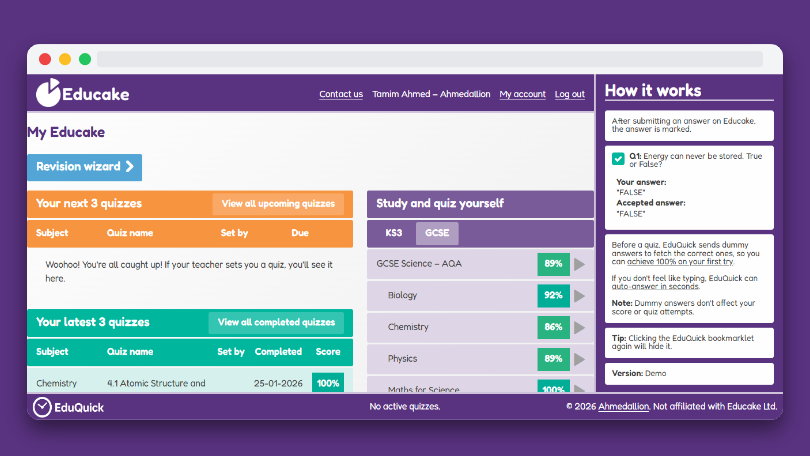
Answer Collection
View a real-time overview of the data EduQuick is gathering as you navigate. 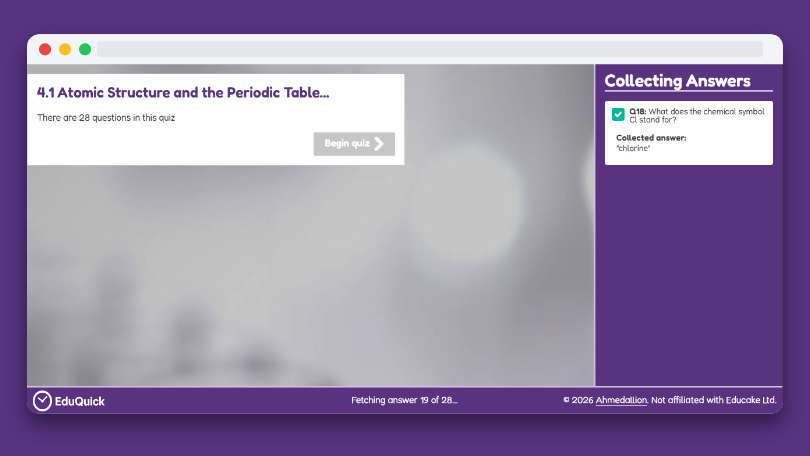
Auto-Answer Flow
Enable auto-answer to answer questions instantly. 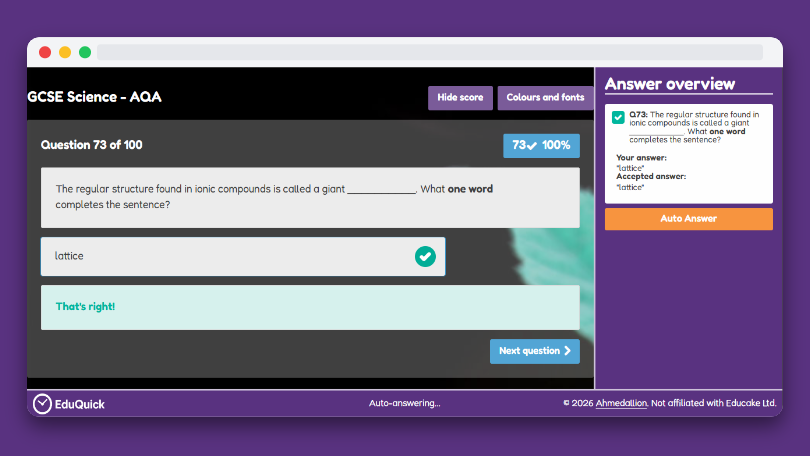
📚 What’s in these docs?
- Step-by-step installation guides (desktop & mobile)
- Troubleshooting help when something doesn’t work
- Known issues and Educake update breakages
- How to update EduQuick when required