EduQuick Updates
EduQuick is designed to fetch the latest script version automatically. However, when the installed bookmarklet itself changes, you may need to perform a manual update to maintain full functionality.
If you see an update notification within EduQuick, follow the steps below.
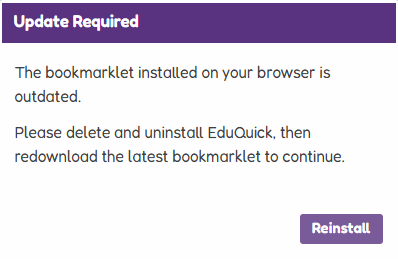
How to Update
To ensure you are running the most stable and feature-rich version of EduQuick, perform a clean reinstallation:
1. Remove the old version
Open your bookmarks or favorites manager and delete the existing EduQuick bookmark.
2. Reinstall the latest version
Visit our installation page to get the most recent version of the bookmarklet for your specific browser.
⏱️ Update Delay
If you know a new update has been released but you aren’t seeing it yet, please be patient.
Due to how the script is delivered to your browser, it can take anywhere from 12 hours to 1 week for a new update to reach every user. If your bookmarklet is working normally, you do not need to take any action; the update will arrive automatically once the cache has updated.